


100% ready professional social networking site and mobile apps for business in 1 day, open code, with ready member profiles
PG Dating Pro is the winner of iDate Awards in the Best Dating Software Provider category

Multiplying your money.
10 built-in paid services. All payments belong to you. Increase your chance of success with our expertise, hype up your website and mobile apps through marketing, employ analytics to increase sales.According to Google Trends statistics the demand for online dating is growing.
700 000 000 users using online dating websites and apps. The worldwide online dating market alone is estimated at US $4 billion. Online dating market is predicted to grow steadily till 2024.Help people around you to get acquainted with each other.
The software is available in 12 languages: English, Spanish, French, Chinese simplified, Russian, German, Italian, Portuguese, Danish, Dutch, Norwegian, Thai.One of the leaders among dating scripts based on the conversion rates.
We're testing up to 400 hypotheses every year to improve the Dating Pro software for you.

Multiplying your money.
10 built-in paid services. All payments belong to you. Increase your chance of success with our expertise, hype up your website and mobile apps through marketing, employ analytics to increase sales.
According to Google Trends statistics the demand for online dating is growing.
700 000 000 users using online dating websites and apps. The worldwide online dating market alone is estimated at US $4 billion. Online dating market is predicted to grow steadily till 2024.
Help people around you to get acquainted with each other.
The software is available in 11+ languages: English, Spanish, French, Chinese simplified, Russian, German, Portuguese, Danish, Dutch, Norwegian, Thai.
One of the leaders among dating scripts based on the conversion rates.
We're testing up to 400 hypotheses every year to improve the Dating Pro software for you.Similarities between a social network and a dating site

- Social network helps people make friends and communicate.
- The main purpose of a dating site is to meet one's match, be it for a lifetime or not.
| Dating site user | Member of a social network | |
| 1. Wants to find someone - a friend or a significant other | + | + |
| 2. Creates a profile | + | + |
| 3. Searches for a partner or for a friend | on their own | with the help of a matchmaker |
| Business model association | Marketplace where one is shopping for a partner | Marketplace where one is shopping for friends and like-minded people |

Reviews

“We like the professionalism of the Pilot Group team. Their dating software is the best for us, and they are very helpful with all our queries. Try Dating Pro script, you won’t regret it”
Emmanuel Okeke
 review from Intercom
Trusted by over 10,000 dating site owners



White label solution
You’ll have the freedom to maintain full control over all aspects of your site and content. No “powered-by,” no ads (unless you want them for making money). You fully control the UI of your social network site and apps.

100% open code
Any custom changes are possible. Full technical documentation from developers for developers. The script is based on CodeIgniter which makes it open to modifications by any PHP developer.

Save your money
Commissioning someone to build you a social network site and a mobile social network app may cost upwards of $25K. Save the money by purchasing a ready-made social network site with the mobile apps for iOS and Android phones by PG Social network.

Enhance it with add-ons
and templates from the Marketplace. New features are added to the Marketplace regularly.

Free support
In live chat, by email, phone, Facebook and Twitter. We speak English, German, French, Russian.

Best Dating Software Provider
at iDate Awards 2015, 2017, 2018, 2019. Best Dating Software Finalist 2010-2019.

Full control over your website
from design to tariffs and member data. Your social network site and all its revenue and content belong to you.

Various profit sources
Cool features make the site interesting for the members and prompt them to come back and stay longer. People will pay more for your site’s paid services.

No coding experience required
Customize your entire site with ease. Convenient administration panel. Friendly support. Documentation and FAQ resources. Free learning with the Dating Pro Academy.

Perfect for any niche
Dating, speed dating, matrimonial, matchmaking, social network, classifieds. Tell us about your niche and we will help you adjust your site to it.

Native mobile apps
Android and iOS. 100% of native platform opportunities are available for development.

Works on any device
Responsive design for mobile devices. Your social network site will look good on old and new smartphones, tablets and other devices with various screen sizes.

Get a free quote for any ideas
In-house expert team. Custom changes within the shortest timeframes. Remotely or at your place. Personal project manager.
Features


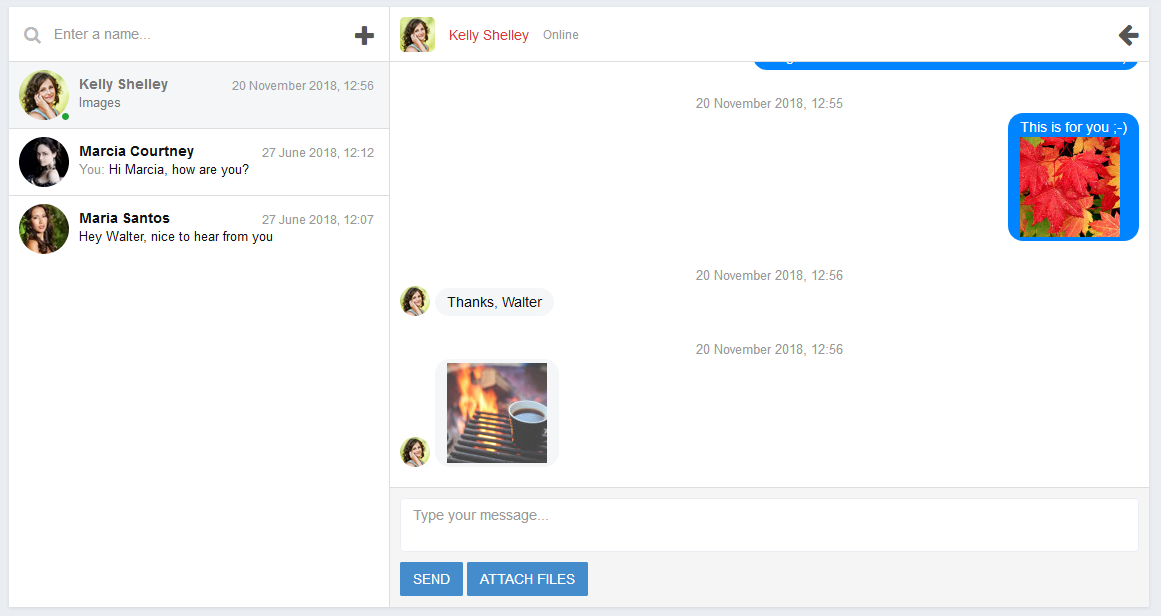


How does it work?
- Choose a ready Dating Pro package.
- Your site is ready to use within 24 hours and can start generating profit for you.
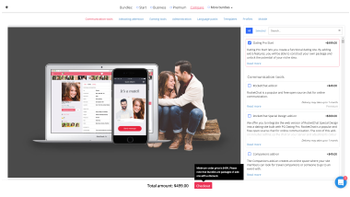
Dating Pro plans are turnkey dating sites that only require installation and basic setup before you can go live. Dating Pro Builder lets you pick your own features from an extended set of tools. Please note that some of these tools will require extra time to be completed.
We acknowledge that a standard solution cannot be a fit for every purpose. That is why we are interested in offering more specific niche solutions. We would gladly award you a discount on your custom order if your niche functionality fits our vision and you agree to share it with us. Please contact our Experts team to discuss your project, it's free of charge.

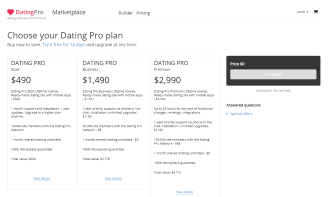

What's in the packages
1 year
support and installation
1 year
free new versions
1 month
shared hosting
One time
payment
What you get
 Dating Pro
|
Other dating software providers | |
| Pricing | From $490 | From $149 |
| Moneyback | Dating Pro is the only dating script provider that does that | Not provided |
| Feature range | 3 ready-to-use packages and App store marketplace | Low |
| Support channels | Chat, email, phone, Facebook and Twitter. NPS 70% | Email only |
| In-house developers for processing your custom requests | In-house developers provide a free quote in 1 business day. We consider an option to discuss your project right in your place and you're also welcome to visit our office! | No developers provided. Time for searching and proving they are who you can trust |
| Documentation | Dating Pro Academy with categories: online courses, video tutorials, startup guide, manuals and technical documentation, monetization ways. | Provided |
| Feedbacks | Feedbacks provided | Not provided |
| Awards | iDate Awards winner | Not awarded |
| Update releases | Several times a year | Updates of new features not supported |